hexo-i18n multi-language tutorial, template fluid
This website is bilingual in Chinese and English using this method
This article only lists precautions and key content.
Note: This is not a nanny-level tutorial. If you have any questions, please contact me by email.
the whole idea
- Make two identical websites, one in Chinese and one in English. The content of the English website is in Chinese, just use Google Translate.
- Hang the English site under the Chinese site. In this case, you need to modify the root of the English site.
- Modify the navigation of the two stations so that they can jump to each other
- Some navigation configurations for the two stations (modified separately)
Install hexo and fluid
To install hexo, please refer to the official website: https://hexo.io/zh-cn/
To install the fluid theme, please refer to the official website: https://hexo.fluid-dev.com/docs/
Copy the installed hexo. The picture below is the part I installed.
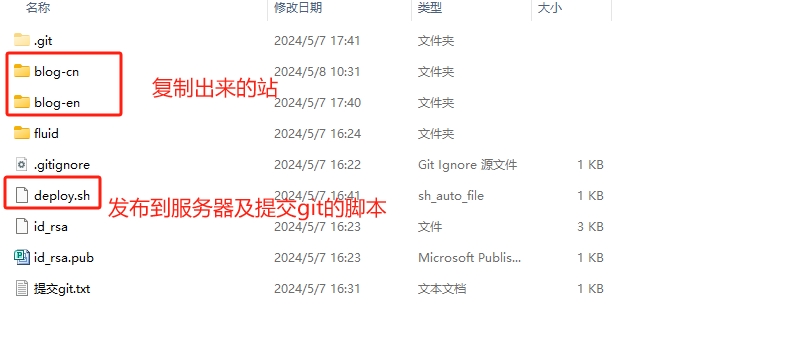

Own configuration of two stations,
1 | |
1 | |
Key points: Place the static resources generated by the English site under the Chinese site, so that you can access the English site from the Chinese site.
Attached script:
1 | |
Upload to the server (need to provision nginx and domain name)
1 | |
hexo-i18n multi-language tutorial, template fluid
http://www.7-24.tech/en/2024/05/08/hexo-i18n/